Showcase · 2025
FlatMagic: One click, flat image
A Figma plugin that flattens complex frame structures into pixel-faithful images. 884+ designers use it. One click.
Try it in Figma ↗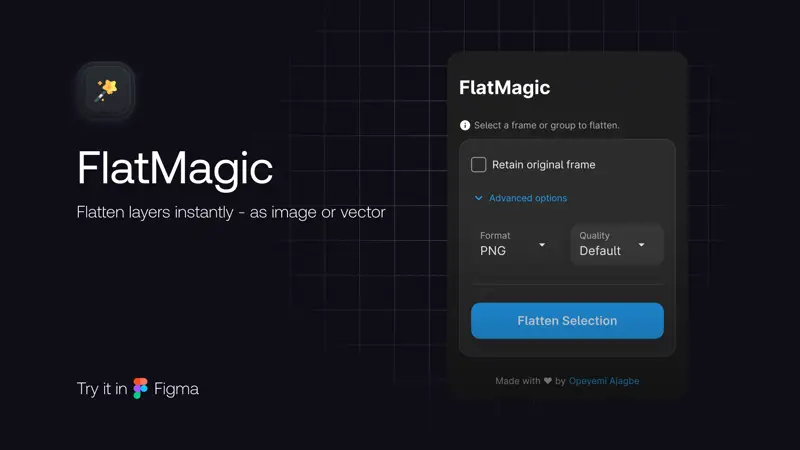
884+ designers · Published on Figma Community
You shouldn’t need three clicks to get one flat image.
Figma’s flatten does something different. It merges vectors. It simplifies paths. It does not give you a single rasterized image of your frame, preserved at the exact pixel dimensions you designed, ready to drop into a presentation or a handoff doc.
The official way to do this: select your frame, open export settings, set the format, export to disk, find the file, drag it back in. That’s six steps and a file-system detour for something that should be instant.
FlatMagic does it in one click. Select the frame. Run the plugin. A flattened image lands on your canvas, pixel-identical to your original, at the exact same dimensions. No export dialog. No file system. No re-importing.
How it works
The plugin rasterizes the selected frame at its native resolution and places the result directly on your canvas. It handles the full render tree: nested groups, auto-layouts, component instances, masks, blend modes.
What you get:
- Pixel fidelity. What you see is what you get. No compression artifacts, no resolution drift.
- Exact dimensions. Output matches source frame size, down to the pixel.
- Same position. The flattened image lands exactly where the original frame sits. No repositioning.
The problem it actually solves
Designers need fast thumbnails. You finish a screen and want to drop it into Notion. You’re building a deck and need twelve screenshots by end of day. You’re posting work to a team channel and just want the visual, not the layers.
Every extra click between “I designed this” and “here, look at it” is friction. FlatMagic removes that friction. Select and click. That’s it.
Why I built it
I was deep in design system work, documenting component variants. Each variant needed a screenshot. After the third variant, I started counting clicks. After the twentieth, I opened the Figma Plugin API docs.
The plugin took a weekend to ship. The tricky part wasn’t the rasterization logic, it was edge cases: hidden layers, masks, blend modes, large frames that push against Figma’s memory limits. The plugin sandbox is restrictive. No direct DOM access. No Canvas API. Everything goes through Figma’s node tree and exportAsync. You learn the boundaries fast.
I shipped it. Published it on the Figma Community. Then people started installing it.
Get it
FlatMagic is free on the Figma Community. Install it once, use it forever.
Get FlatMagic on Figma Community →